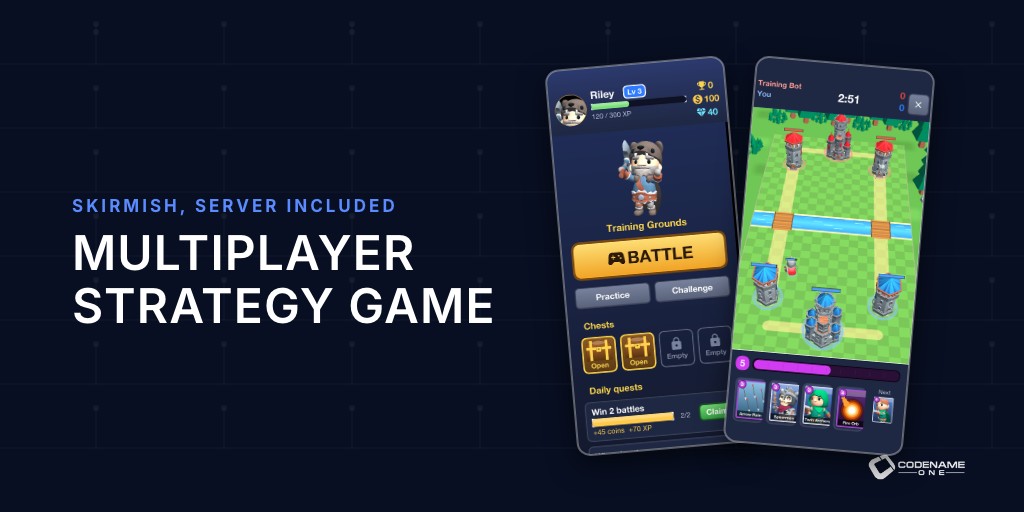
For years I avoided pitching Codename One as a game engine. Unity, Unreal and Godot own that market, and I didn’t see a reason for a game developer to pick us. That changed while we were building our app templates. A modern mobile game is mostly app: sign-in, menus, a shop, friends lists, quests, push notifications, analytics and a server. The battle itself is a small part of the code. Those other parts are exactly what Codename One is good at.
Yesterday’s post argued that complete applications are the new starting point. Skirmish is that idea applied to games. It’s a real-time strategy game in the style of Clash Royale: two players face each other across a 3D arena, each drawing troops and spells from a deck, and the first to bring down the other’s towers wins. The client, the server and the admin console are one Java project. Watch it first:
Open the Initializr, pick the Skirmish template, set your name and package, and you get the whole game. The source is under MIT-0. No royalties, no per-install fees, no revenue share and no runtime fee that can show up in your inbox next year. The characters and towers are KayKit models released under CC0.
What you get
| Part | What’s in it |
|---|---|
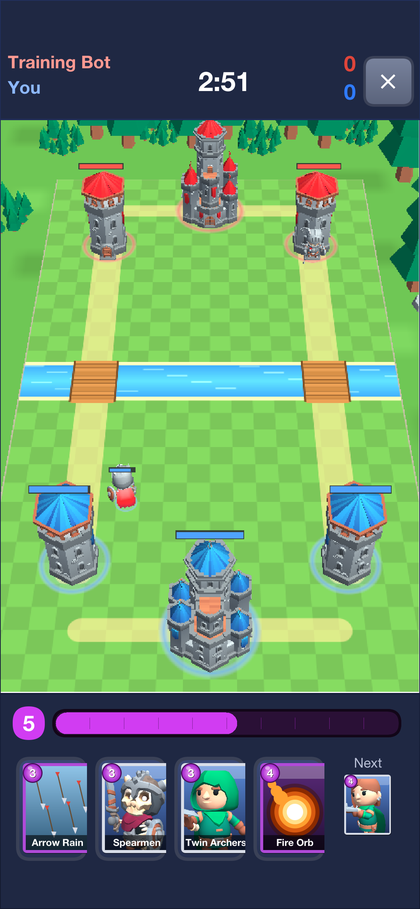
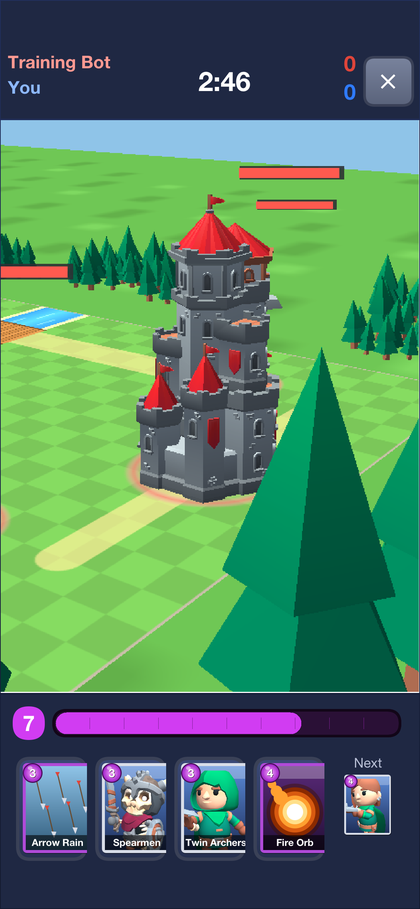
| Battle | A 3D arena with animated glTF characters, drag-and-drop cards, elixir, overtime, particle effects and a finishing camera sweep |
| Online play | Trophy-banded matchmaking, challenge links, spectating and replays you can seek through |
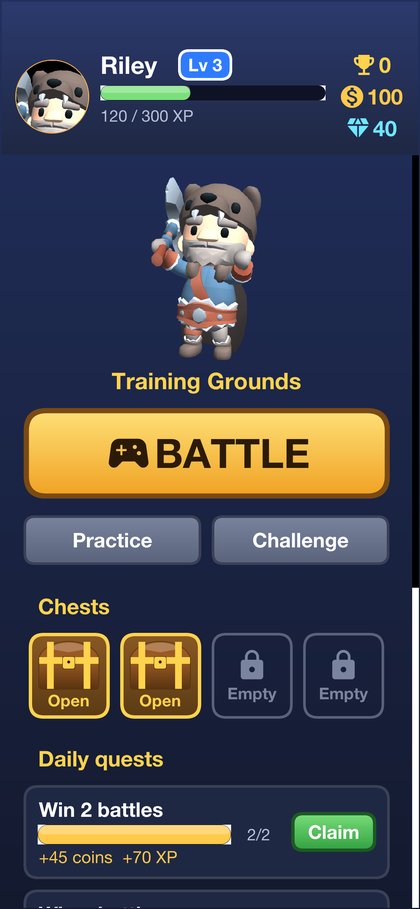
| Progression | A guided training battle, levels, daily quests, chests and achievements, all granted by the server |
| Monetization | Gem packs and a season pass with server-side receipt checks, rewarded and interstitial ads |
| Growth | Invite-a-friend links, campaign links, push notifications, a home screen spotlight and opt-in funnel analytics |
| Operations | An admin console with live matches, player lookup, reports, queries, engagement pipelines and audited moderation |
| Content | The Forge, an in-game editor where players and designers build cards, arenas, missions and campaigns |
The menus are the easy part
Ask anyone who has shipped a mobile game in a game engine where the time went, and menus come up fast. Scroll views that fight the touch input, text that doesn’t wrap, layouts that break on a tablet, a store screen built out of sprites. Game engines are built around a scene graph, and a settings screen doesn’t fit in one.
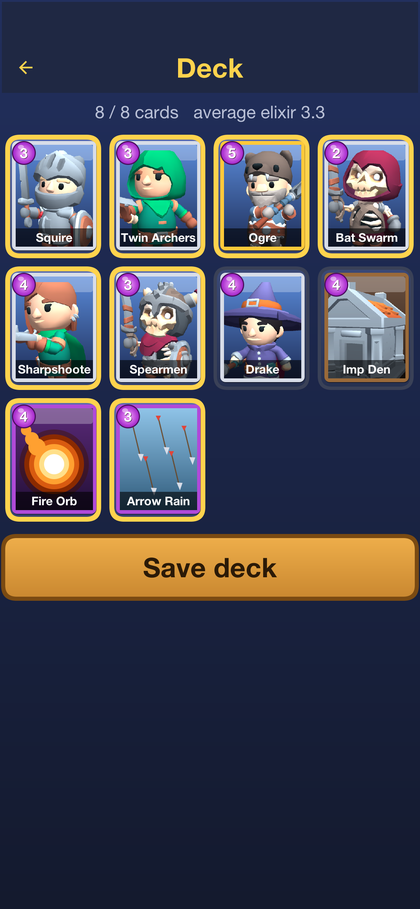
Every button, list, tab and dialog in Skirmish is an ordinary Codename One component, laid out with layout managers and styled in CSS. The wooden buttons you saw in the video are a style, with no images involved:
WoodButton {
    background: linear-gradient(to bottom, var(--wood-light), var(--wood));
    border: 0.6mm solid var(--wood-dark);
    border-radius: 2mm;
    color: var(--ink);
    font-family: "native:MainBold";
    font-size: 4mm;
    text-align: center;
    padding: 2.5mm;
    margin: 1.2mm 2mm;
}
Because the look is a gradient and a border, it stays sharp at every screen density. Want a different visual identity? The palette is a list of CSS variables at the top of theme.css (--night, --stone, --wood, --gold and more). Change them and every screen follows. Text wraps, lists scroll natively, right-to-left languages work, and the same screens run on a phone, a tablet and the desktop.
The battle is 3D, and it’s Java
The arena is a GameView from com.codename1.gaming, rendered with the GPU API, with a perspective camera behind your king. The characters are rigged glTF models with skeletal animation, a new part of the gaming API that came out of this work. Playing a walk cycle and blending into an attack takes a few lines:
GltfScene knight = GltfLoader.loadScene(in);
unit = new AnimatedModel(device, knight);
unit.hideNode("Shield_Spike");          // the file carries every prop
unit.play("Walking_A", true);
unit.addTo(this);
// in update(double dt): unit.update((float) dt);
// on attack:            unit.crossFade("1H_Melee_Attack_Chop", 0.15f, false);
Swap in any rigged glTF character with the same animation names and it fights.
Multiplayer without a networking team
The game rules live in their own module, rules. It’s deterministic Java with no floating point and no clock, and four things compile it: the app, the server, the replays and the tests. Adding a card is one line:
add(new CardDef("squire", "Squire", CardDef.TROOP, 3)
        .hp(1450).damage(160).hitTicks(24).range(700).speed(45).radius(500));
Online matches run in lockstep over a WebSocket. The server is the referee: it stamps each card a player drops with a tick slightly in the future and sends it to both phones, so both simulations stay identical and nobody can cheat by editing their client. Everything else, from sign-in to the shop, is REST through @RestClient interfaces in a module both sides share. Client and server compile against the same types, so a renamed field is a compile error on both ends instead of a bug report.
rules module"] -- "play card" --> S["Server MatchRoom
rules module"] B["Player B's phone
rules module"] -- "play card" --> S S -- "card at tick N" --> A S -- "card at tick N" --> B S --> R["Replay
rules module"]
Promotion and monetization are built in
A game that nobody installs doesn’t make money. Skirmish uses the Codename One APIs for growth, so the code is short. Inviting a friend from Friends.java:
Invite invite = Invites.create(InviteRequest.create()
        .campaign(CAMPAIGN)
        .channel("share_sheet")
        .payload(mine.code())
        .title("Join me in Skirmish")
        .description("A real-time card battle. Build a deck and fight me.")
        .build());
The friend who joins gets bonus coins, and the Friends screen shows who joined and who has played. The same template wires up:
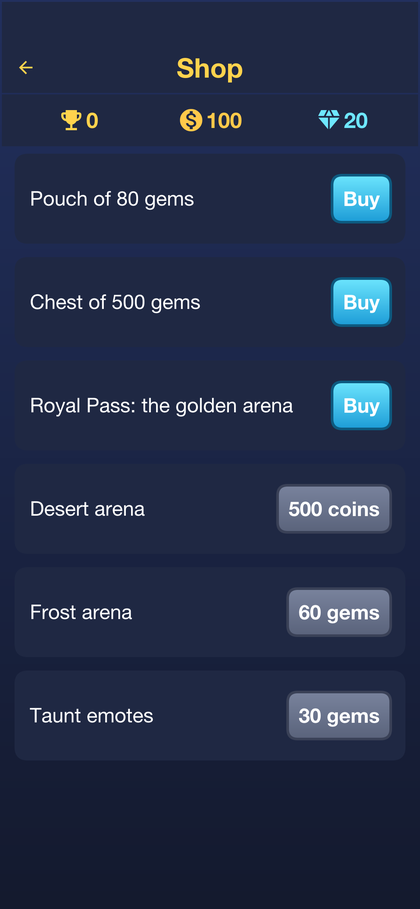
- In-app purchases of gem packs and a season pass, with receipts verified by your server.
- Rewarded and interstitial ads, where a rewarded ad grants its reward through the server.
- Push notifications when a chest opens or a friend challenges you.
- Funnel analytics that show where new players drop off, with opt-in consent.
- Campaign links for ads and social posts outside the app, and a home screen spotlight you change from the console.
The implementor’s guide includes a step-by-step tutorial on growing a game with these: turn on measurement, read the funnel, bring players back with push, then grow through invitations.
Run the game like a live service
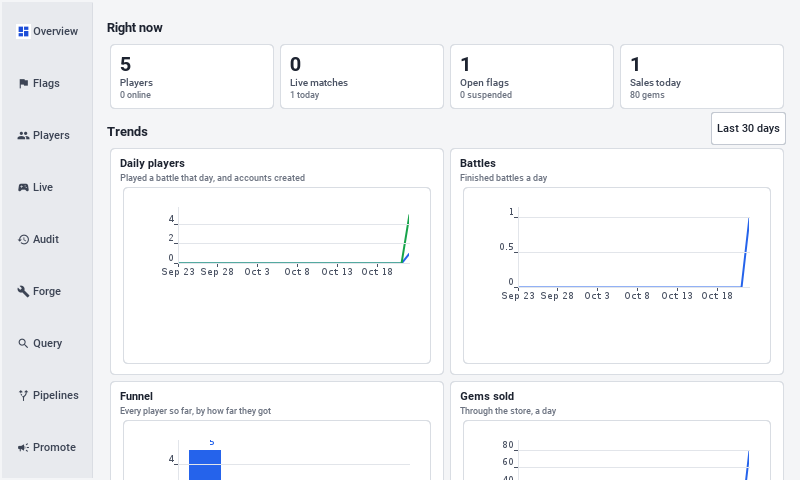
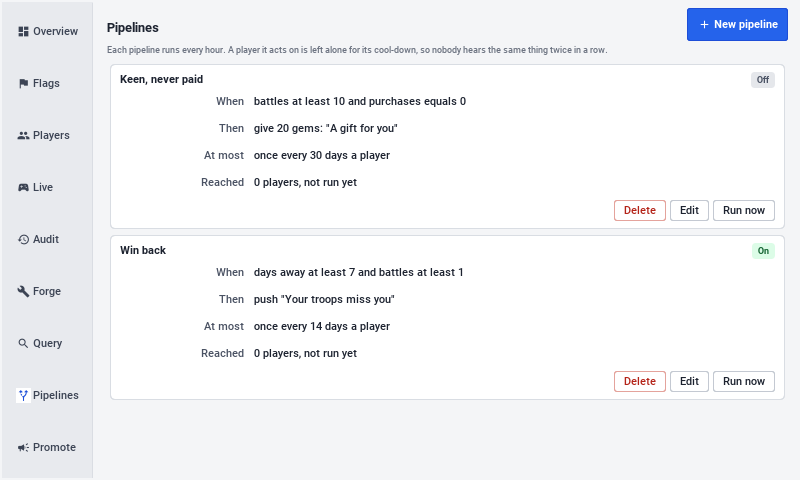
The admin console ships in the same app. Moderators see live matches, automatic and reported flags, and player history, and they can warn, mute, suspend or ban with an audit trail. Product owners write queries over the game data, set up engagement pipelines and broadcast promotions. It runs on the desktop as well as on a phone.
Make it yours
Skirmish is meant to be remixed. A few directions it could take:
- Re-skin it for a different setting: space, pirates, a cartoon farm. Swap the CSS palette, the glTF models and the card portraits.
PortraitStudiorenders new portraits from the models so the art stays consistent. - Change the game. New cards, new arenas and a different elixir economy are data in the
rulesmodule. BumpRulesVersion.IDand the golden replay tests tell you which recorded battles changed. - Let players make content. The Forge lets players build and share packs of cards, arenas and missions, and lets your designers publish official campaigns from the same editor.
- Point an AI agent at it. The whole game is one readable Java project, so “turn this into a cyberpunk tower defense with four lanes” is a reasonable prompt to start from.

The development profile needs nothing installed: an in-memory database, demo accounts and a simulated store. Run the server, start the simulator and play against the bot or a second simulator. The Skirmish page has the overview and the implementor’s guide walks through every part.
Tomorrow: Parley: A Private Messenger Template You Can Brand.